Log the whole meal
Use photos, voice, or text. Add multiple pictures for separate dishes, drinks, or labels, then review the estimate before saving.
 Plate Genius
Open app
Plate Genius
Open app
Know what to eat next
Bring your meals, kitchen, and daily nutrition together. Plate Genius helps you log what you ate, see what you need, and choose what comes next.
Available on the web · iPhone beta through TestFlight
A simpler daily routine
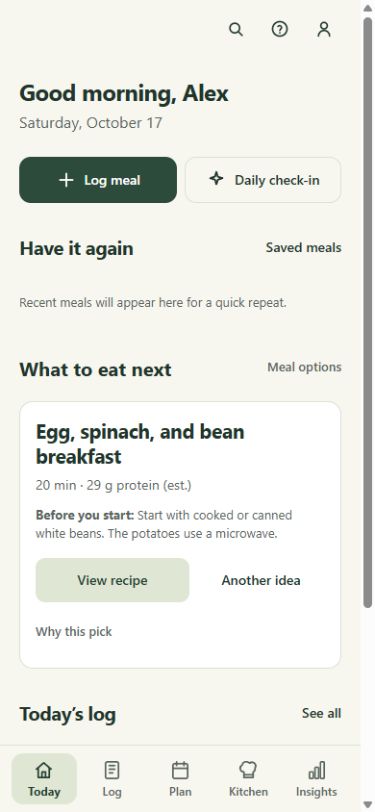
Start with a meal, a snack, or what’s in your fridge. Keep a useful record without having to get every detail right the first time.
Use photos, voice, or text. Add multiple pictures for separate dishes, drinks, or labels, then review the estimate before saving.
Adjust meal portions, change an entry’s time, or log a favorite again. Your timeline keeps the day in order.
Check daily nutrient intake and explore any of the past seven days. A seven-day average appears once every day in the week has logs.
Make more of what you have
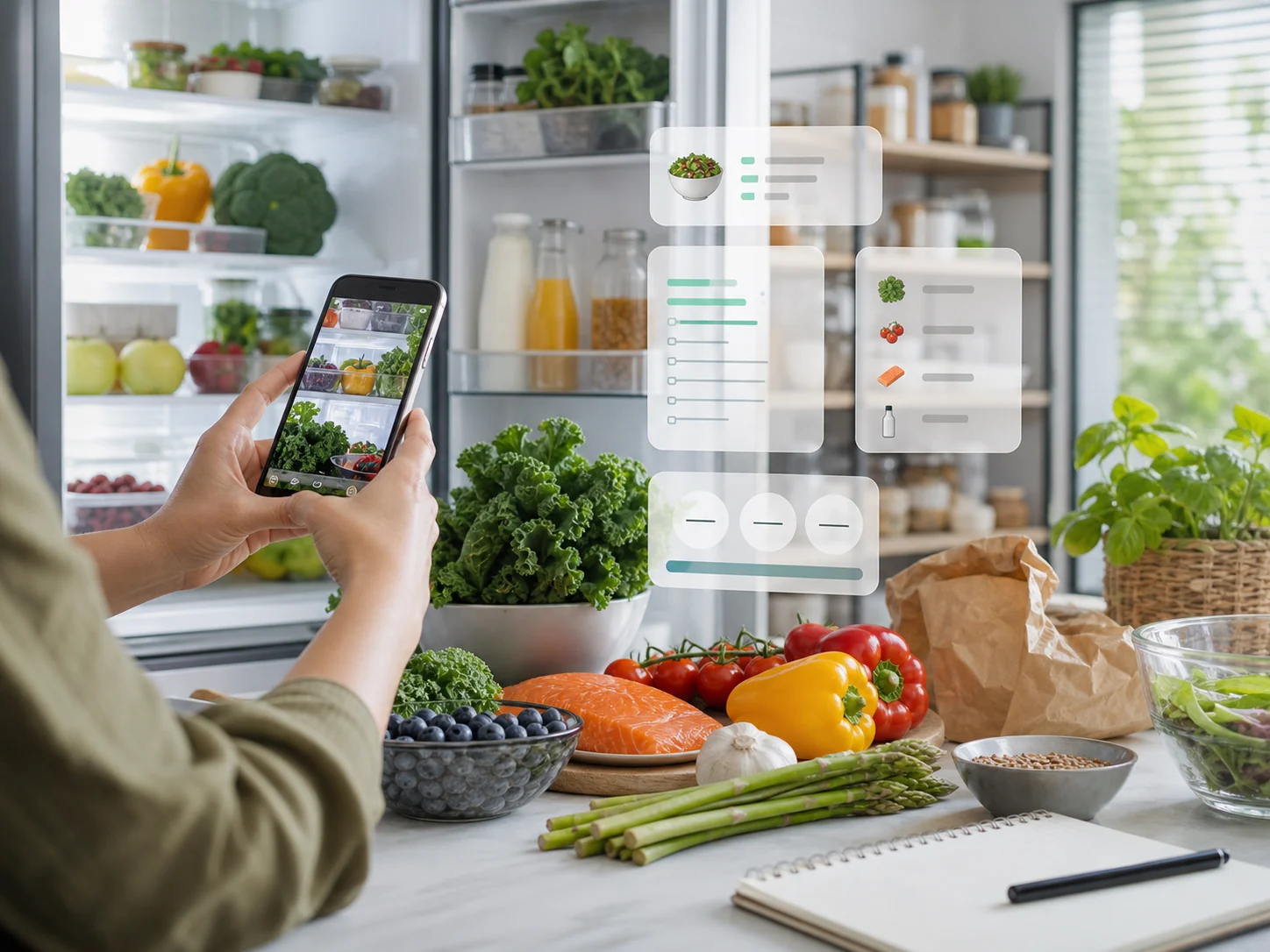
Scan a shelf or add food yourself. Explore meal ideas, check the ingredients you’re missing, and build a shopping list you can actually use.
Review shopping items together, then move what you bought into your kitchen inventory.
Take a look inside
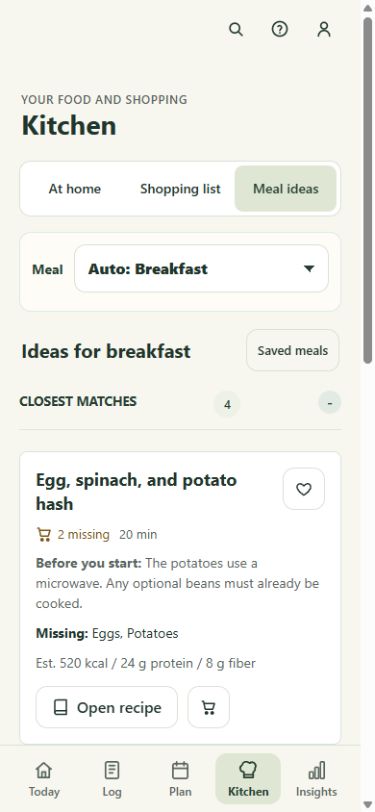
Current app screens, shown with demonstration data.
Start with your kitchen
See what a recipe needs, what you already have, and what’s missing. Open the recipe or add missing ingredients to your shopping list.
Explore Plate GeniusBuilt around real life
Your meal doesn’t have to fit on one plate. Capture different items and review them together before logging.
Log a meal again, adjust the portion, or save it for another day. Everyday repeats take less work.
Add a missed entry and change when it happened. Undo supported changes right from the confirmation.
Scan a supplement label, review the amounts, and save it to your shelf. Edit a logged dose without changing your saved shelf amount.
Review several shopping items together and move bought groceries into inventory, ready for your next meal.
See confidence information and correct the details. Food and supplement values stay editable as you learn more.
Choose what helps you
For everyday meals, household cooking and general wellness. Add optional AI assistance when you want estimates from photos or text and personalized AI help.
Free
Manual food and supplement logging, your kitchen, shopping lists, recipes and daily nutrient progress.
Start trackingOptional AI subscription
USD. AI features require a subscription and your permission to share content with the AI service. Current price, automatic renewal and cancellation details are shown before purchase. Manual tracking stays free.
See AI accessReady when you are
Plate Genius is available on the web. The iPhone app is currently in an invitation-only TestFlight beta.
On the web
Open Plate Genius and sign in to start tracking, or return to your existing account.
Open the appOn iPhone
Request an invitation to try Plate Genius through Apple’s TestFlight app. Invitations and app access are arranged by the Plate Genius team.
Request an invitationA few useful answers
Yes. Use a profile estimate based on your details and activity level, or set a manual daily calorie target in Profile → Activity. You can also choose whether manually logged workouts adjust the profile estimate.
Yes. Add photos of separate dishes, drinks, packages, or labels to one meal. Review the combined estimate and correct the items or portions before saving.
Yes. Insights → Nutrition lets you browse today and the previous six days. The seven-day average becomes available once all seven days have food or supplement logs.
Nutrition values are estimates for education and meal planning. Review photo and label estimates, and edit amounts when needed. Plate Genius does not replace medical care.